
Want to watch live TV, sports and movies on the go? Setting up IPTV Smarters Pro for iPhone is the easiest way to stream on your iPhone or iPad — no jailbreak, no sideloading. Because the app is right in the App Store, install takes seconds, and pairing it with an IPTV Smarters Pro subscription unlocks 65,000+ live channels and 120,000+ movies and series in 4K.
This guide walks you through every step of setting up IPTV Smarters Pro for iPhone — from finding the app on the App Store, to logging in with your Xtream Codes and casting to your TV with AirPlay. The steps work the same on iPhone and iPad.
What's in this guide
What is IPTV Smarters Pro?
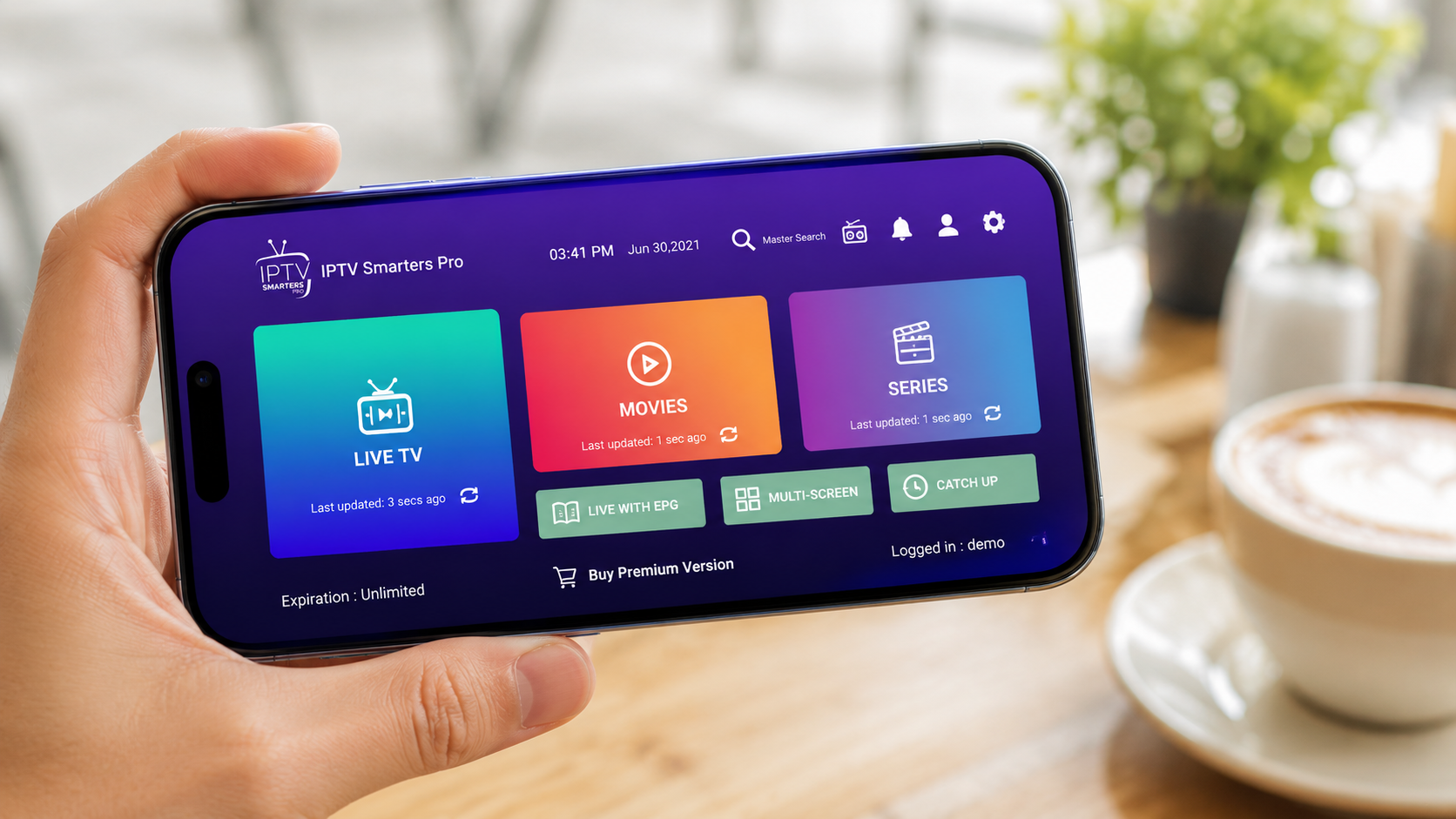
IPTV Smarters Pro is a free, easy-to-use media player with a clean, Netflix-style interface for watching IPTV streams. The app has no channels of its own — it's just the player. To watch anything you load it with login details (Xtream Codes or an M3U URL) from an IPTV service such as IPTV Smarters Pro Australia.
On iOS the app gives you a full electronic programme guide (EPG), live TV categories, video-on-demand, catch-up TV, external player support and AirPlay — all from your iPhone or iPad.
Before you start
Setting up IPTV Smarters Pro for iPhone takes under 5 minutes. Make sure you have:
Stable internet
Wi-Fi or 4G/5G — at least 15 Mbps for smooth HD/4K streaming.
An iPhone or iPad
Running iOS 13 or later (most iPhones from the last several years).
Your Xtream Codes
Username, password and server URL — emailed after you subscribe.
Step 1 — Install from the App Store
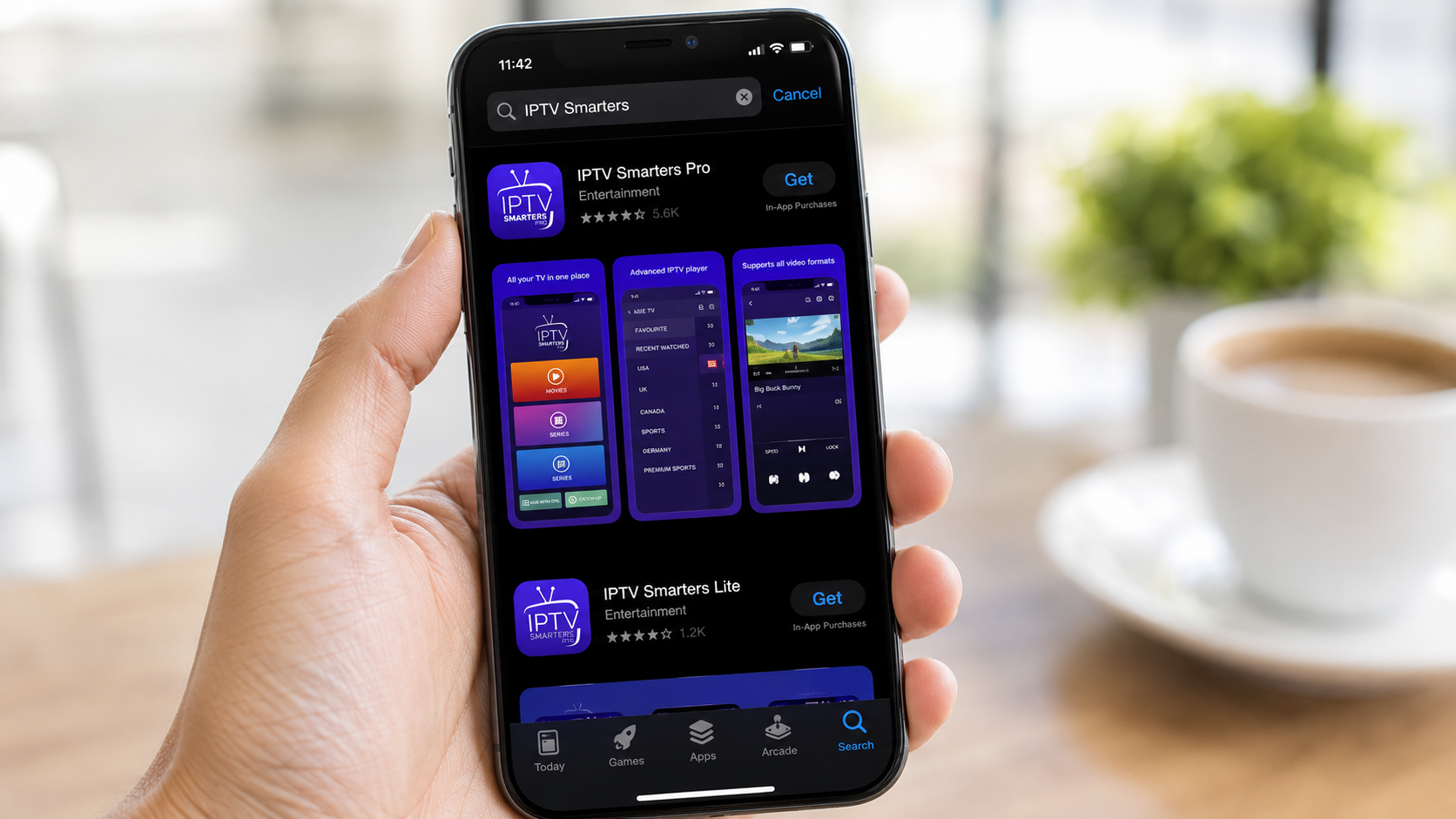
On iOS, IPTV Smarters Pro is available directly on the App Store — no sideloading needed.
Open the App Store
On your iPhone or iPad, tap the App Store icon.
Search for the app
Tap Search and type IPTV Smarters. It may be listed as "IPTV Smarters Player" or "Smarters Player Lite" on the App Store.
Download & open
Tap Get (confirm with Face ID / Touch ID), then Open once it installs.
Allow permissions
Accept the terms and allow local network access so the app can load your playlist.
Step 2 — Log in with your Xtream Codes
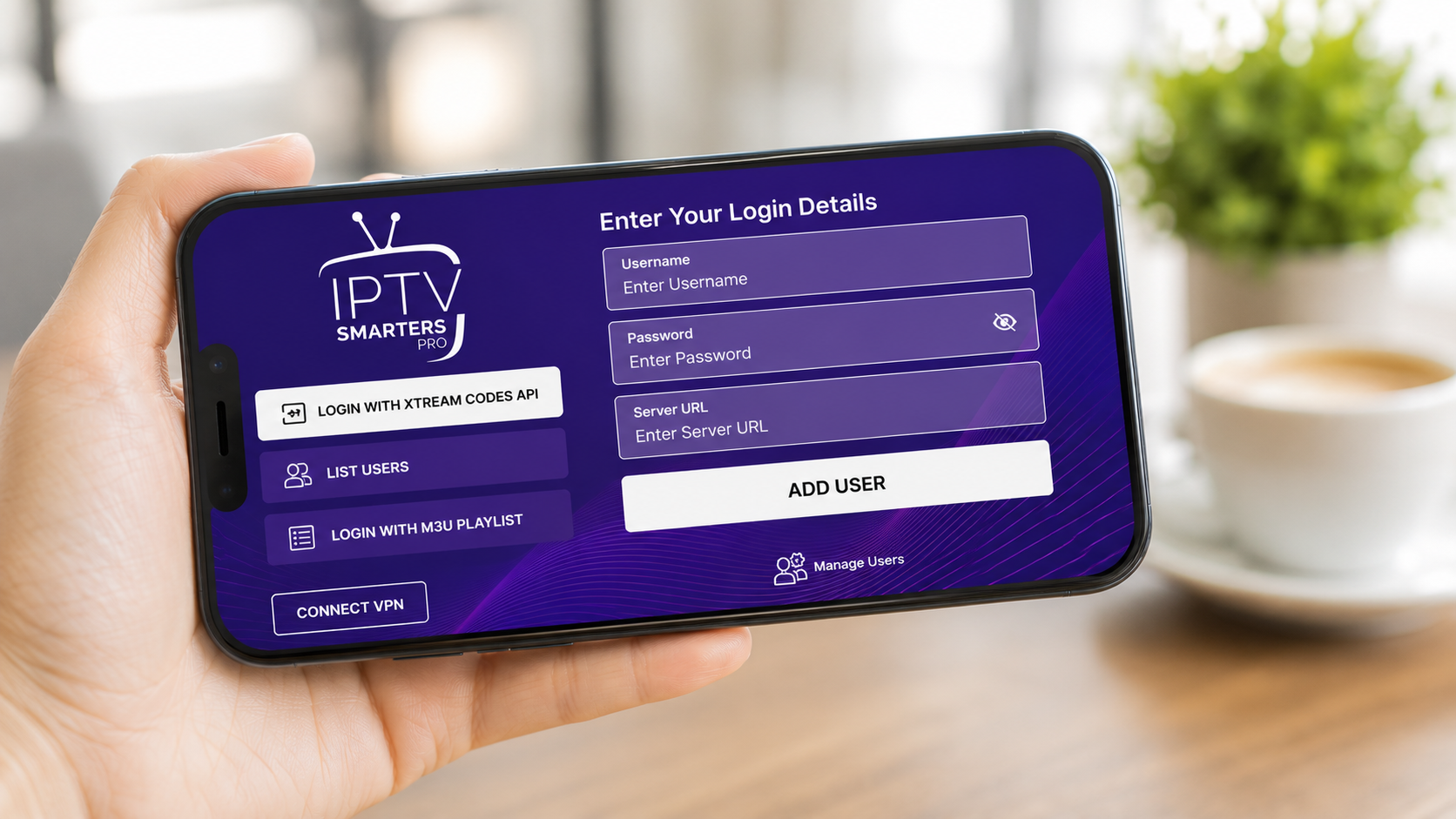
This is where your IPTV Smarters Pro subscription comes in. Open the app and you'll see the login options.
Choose "Login with Xtream Codes API"
This is the recommended method — it loads the full channel list and EPG automatically.
Enter your details
Type any name, then enter the username, password and server URL we emailed you.
Add & wait for sync
Tap Add User. The app downloads your channels, movies and EPG — this can take a minute on first load.
Start watching
Open Live TV, pick a category and enjoy. Browse the full channels list to see what's included.
http:// and the port. Still stuck? Contact our support team and we'll get you sorted fast.Cast to your TV with AirPlay
Want the big-screen experience? You can mirror IPTV Smarters Pro for iPhone to any Apple TV or AirPlay-compatible TV:
Connect to the same Wi-Fi
Make sure your iPhone and TV are on the same network.
Open Control Center
Swipe down from the top-right and tap Screen Mirroring.
Pick your TV
Select your Apple TV / AirPlay TV, then play any channel in the app.
📺 Watch the video guide
Prefer to follow along visually? This short walkthrough shows the full IPTV Smarters Pro for iPhone setup from start to finish.
IPTV Smarters Pro Plans & Pricing
One-time payment · instant activation · 7-day money-back guarantee
1 Month
- 65,000+ live channels
- 120,000+ movies & series
- 4K · UHD · FHD · HD
- Anti-Freezing™ tech
- 24/7 support
3 Months
- 65,000+ live channels
- 120,000+ movies & series
- 4K · UHD · FHD · HD
- Anti-Freezing™ tech
- 24/7 support
6 Months
- 65,000+ live channels
- 120,000+ movies & series
- 4K · UHD · FHD · HD
- Anti-Freezing™ tech
- 24/7 support
12 Months
- 65,000+ live channels
- 120,000+ movies & series
- 4K · UHD · FHD · HD
- Anti-Freezing™ tech
- 24/7 support
Prices shown for 1-device plans. Switch the tabs above for 2 & 3-device pricing. See all options on the pricing page.
Best settings & buffering fixes
Once IPTV Smarters Pro for iPhone is running, a few tweaks keep streams smooth:
Stop buffering
- Use Wi-Fi where possible — it's more stable than mobile data for 4K IPTV.
- Close background apps to free up memory and bandwidth.
- Increase the buffer size in the app's player settings if your connection dips.
- Switch the player to the built-in or VLC decoder if a channel won't play.
Save mobile data
- Lower the stream quality in-app when you're on 4G/5G.
- Download the EPG on Wi-Fi so it doesn't reload on mobile data.
- Use AirPlay only on Wi-Fi to avoid heavy data use.
iPhone vs iPad vs Apple TV
IPTV Smarters Pro runs across the Apple ecosystem — here's how they compare:
| Device | Best for | Screen |
|---|---|---|
| iPhone | Watching on the go, AirPlay to TV | Pocket-sized |
| iPad | Bigger portable screen, split view | Tablet |
| Apple TV | Full living-room experience | Your TV |
iOS is developed by Apple — see the iOS overview on Wikipedia. For a TV-first setup, check our Android TV guide.
✅ Key takeaways
- IPTV Smarters Pro for iPhone installs straight from the App Store — no jailbreak or sideloading.
- The app is just a player — you need an active IPTV Smarters Pro subscription to watch.
- Log in with the Xtream Codes API for the full channel list and EPG.
- Use AirPlay to send any channel to your TV.
- Wi-Fi and a cleared buffer fix almost all buffering.
Ready to start streaming?
Set up IPTV Smarters Pro on your iPhone today and unlock 65,000+ channels and 120,000+ movies in stunning 4K. Instant activation, 7-day money-back guarantee.
💬 Get Your Subscription on WhatsAppFrequently asked questions
Is IPTV Smarters Pro on the App Store?
Yes. You can install it directly from the iOS App Store — search for "IPTV Smarters" (it may appear as "IPTV Smarters Player" or "Smarters Player Lite"). No jailbreak or sideloading is needed.
Is IPTV Smarters Pro free?
The player app is free to download, but to watch live TV, sports and movies you need an active IPTV subscription with Xtream Codes — available from our pricing page.
How do I log in on my iPhone?
Open the app, choose "Login with Xtream Codes API" and enter the username, password and server URL we email you after you subscribe.
Can I watch on my TV from my iPhone?
Yes. Use AirPlay / Screen Mirroring from Control Center to send IPTV Smarters Pro to an Apple TV or AirPlay-compatible TV. For a permanent setup, install the app on the TV instead.
Why does IPTV Smarters Pro keep buffering on iPhone?
Buffering is usually a connection issue. Use stable Wi-Fi, close background apps, increase the buffer size and try switching the player decoder.
Does it work on iPad too?
Yes. The same app and steps work on iPad, with a bigger screen and split-view support.
Is IPTV Smarters Pro available in Australia?
Yes. IPTV Smarters Pro Australia is optimised for Australian viewers, with local and international channels, sports and a low-latency server network.