
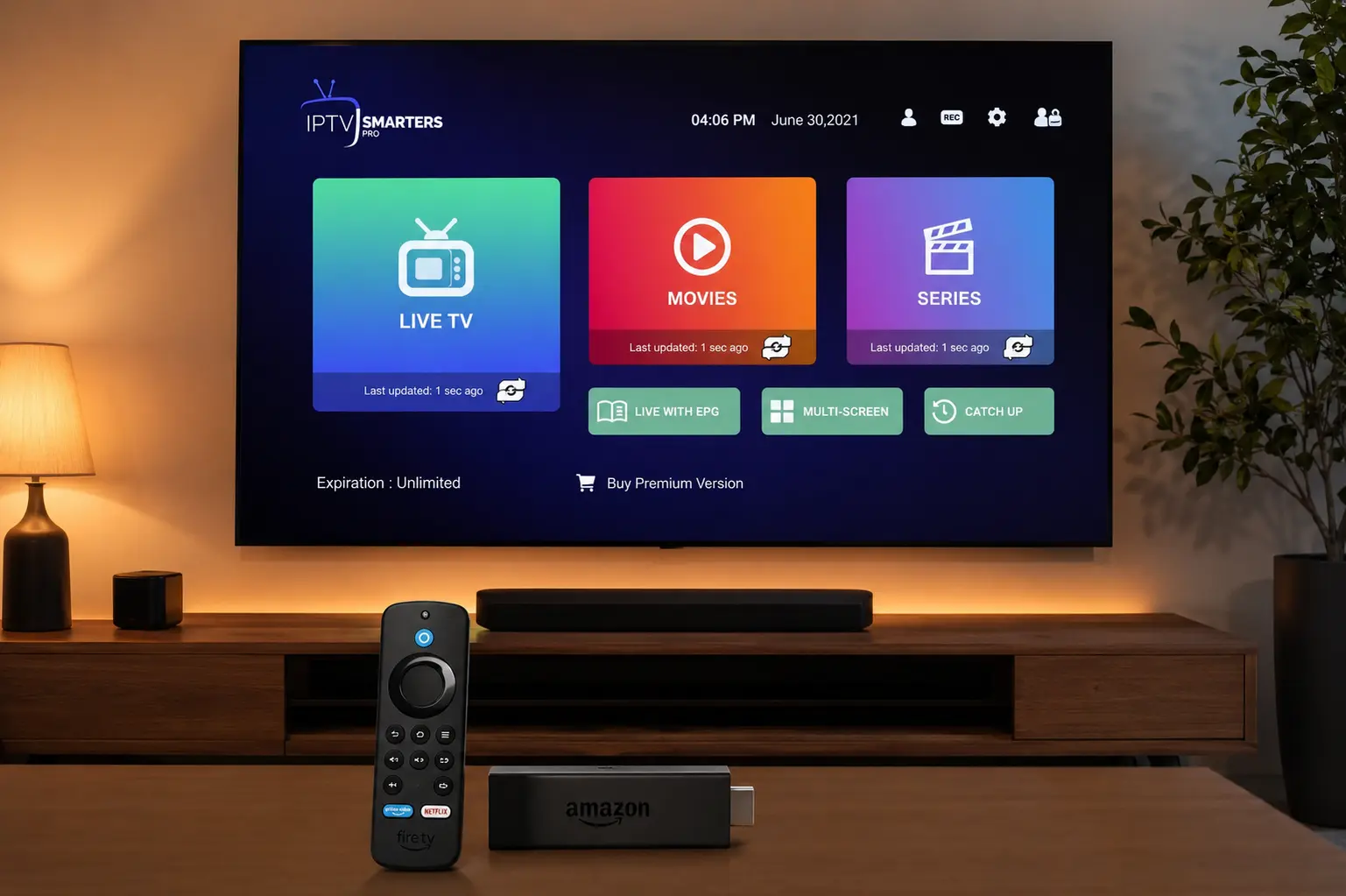
If you just bought an Amazon Fire TV Stick and want to stream live TV, sports and movies, setting up IPTV Smarters Pro for Firestick is the fastest way to do it. The app turns your Firestick into a complete entertainment hub, and pairing it with an IPTV Smarters Pro subscription unlocks 65,000+ live channels and 120,000+ movies and series in crisp 4K.
In this guide we walk through every step of installing IPTV Smarters Pro for Firestick — from enabling app installs and using the Downloader app, to logging in with your Xtream Codes and fixing common buffering issues. Whether you own a basic Fire TV Stick, a Stick 4K, or a Fire TV Cube, the steps are the same.
What's in this guide
What is IPTV Smarters Pro?
IPTV Smarters Pro is a free, easy-to-use media player that lets you watch IPTV streams through a clean, Netflix-style interface. It does not include any channels by itself — it is simply the player. To actually watch anything, you load it with login details (called Xtream Codes or an M3U URL) from an IPTV service such as IPTV Smarters Pro Australia.
On a Firestick, the app gives you a full electronic programme guide (EPG), live TV categories, video-on-demand, catch-up TV and multi-screen support — all controlled comfortably with your Fire TV remote.
Before you start
Setting up IPTV Smarters Pro for Firestick takes about 10 minutes. Make sure you have the following ready:
Stable internet
At least 15–25 Mbps for smooth 4K IPTV streaming on Firestick.
Your Xtream Codes
Username, password and server URL — emailed to you after you subscribe.
A Fire TV device
Fire TV Stick, Stick 4K, Stick 4K Max or Fire TV Cube all work.
Step 1 — Allow apps from unknown sources
Because IPTV Smarters Pro is installed using a sideload helper, you first need to allow your Firestick to install third-party apps.
Open Settings
From the Fire TV home screen, scroll to the top menu and select Settings (the gear icon).
Go to My Fire TV
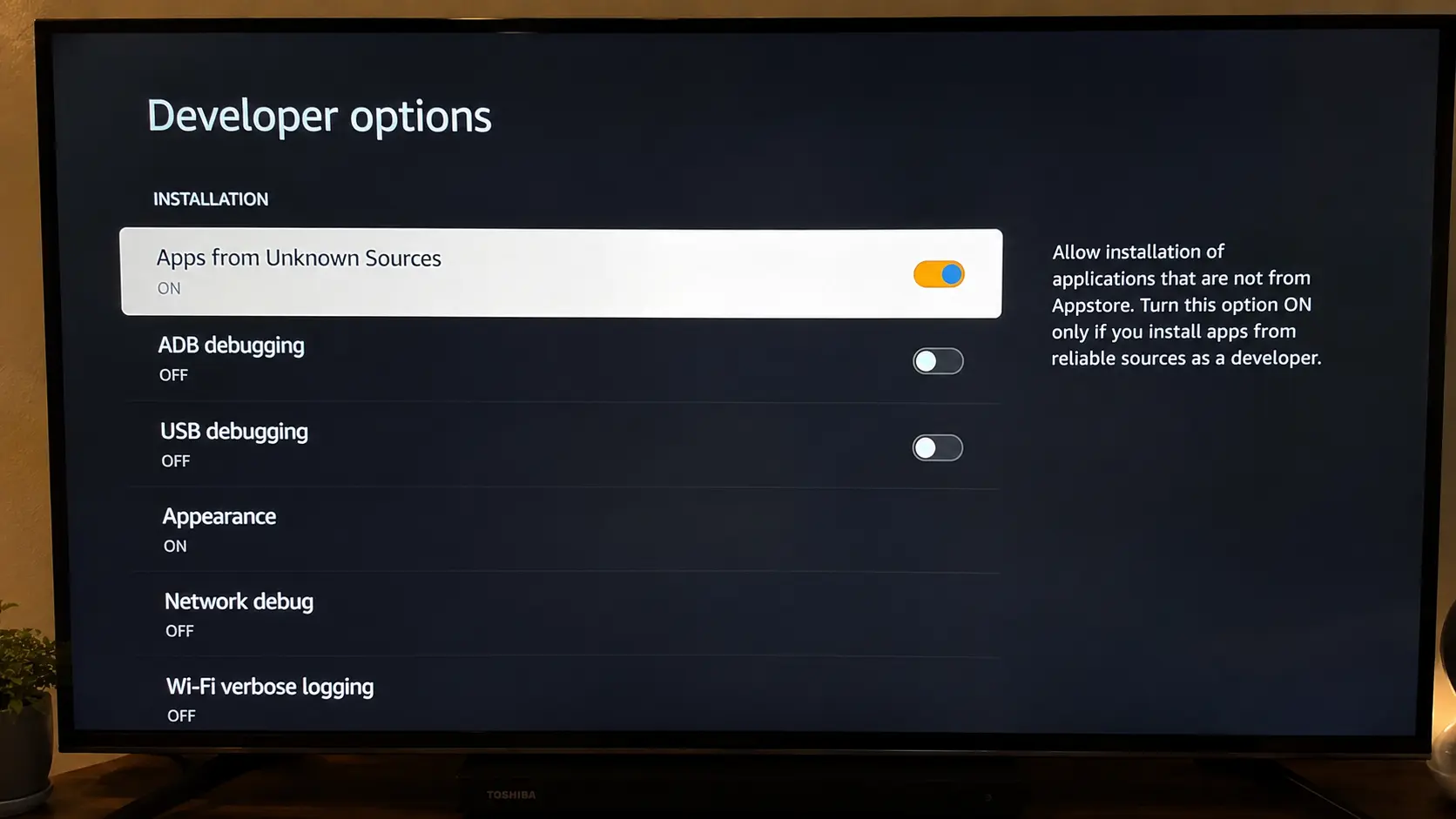
Select My Fire TV → Developer options. On newer devices it may be called About → Developer options.
Turn on app installs
Enable Apps from Unknown Sources (or "Install unknown apps"). Confirm with Turn On.
Step 2 — Install IPTV Smarters Pro on Firestick
The easiest way to get the app is through the free Downloader app, available right in the Amazon Appstore.
Install the Downloader app
From the Fire TV home, search Downloader, open it and select Download / Get. Open it and allow it to access files.
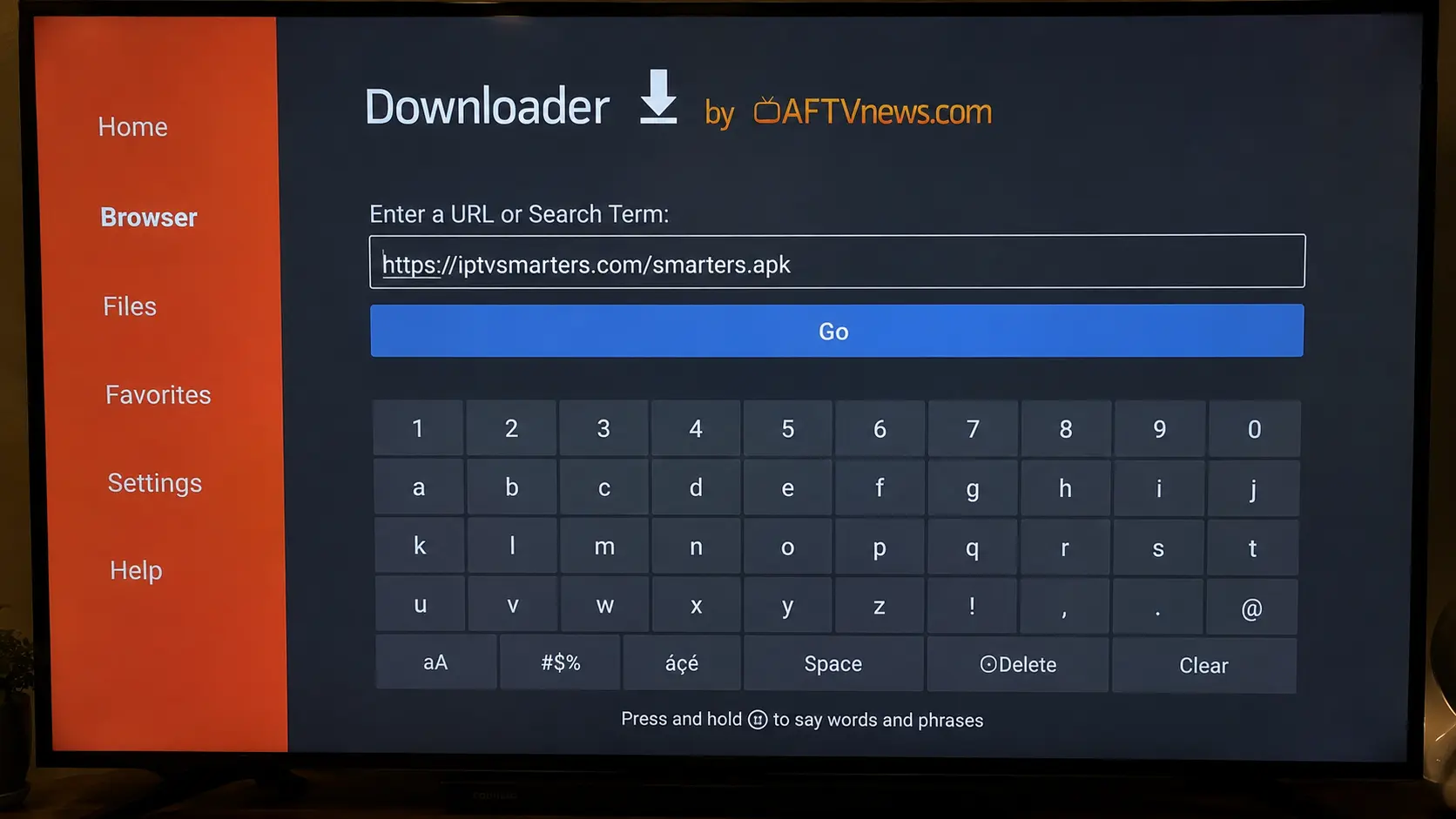
Enter the app URL
In the Downloader URL box, type the official download link for the IPTV Smarters Pro player, then press Go.
Download & install
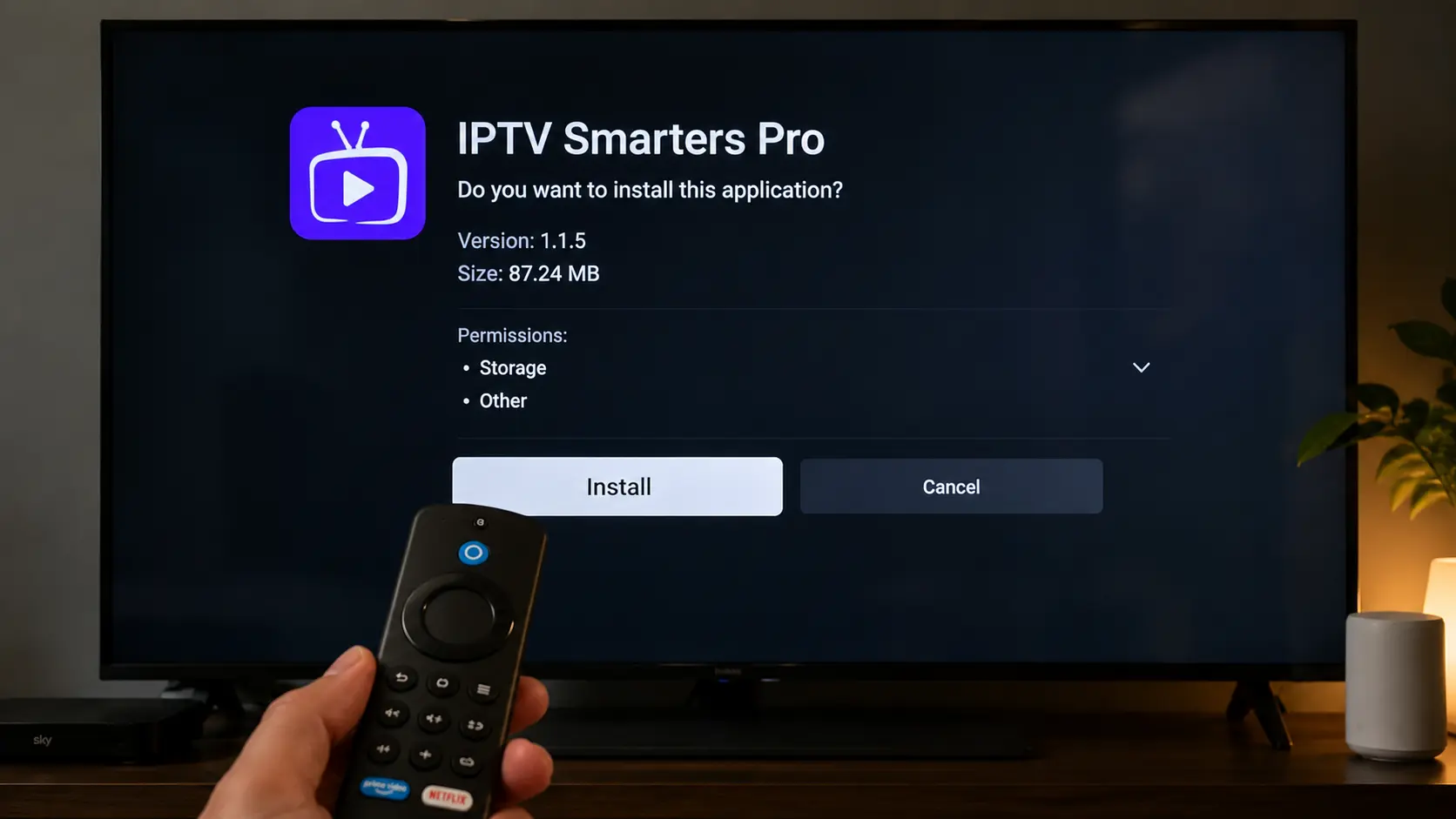
Wait for the APK to download, then select Install. When it finishes, choose Open.
Accept the terms
On first launch, accept the player's terms of use to reach the login screen.
Step 3 — Log in with your Xtream Codes
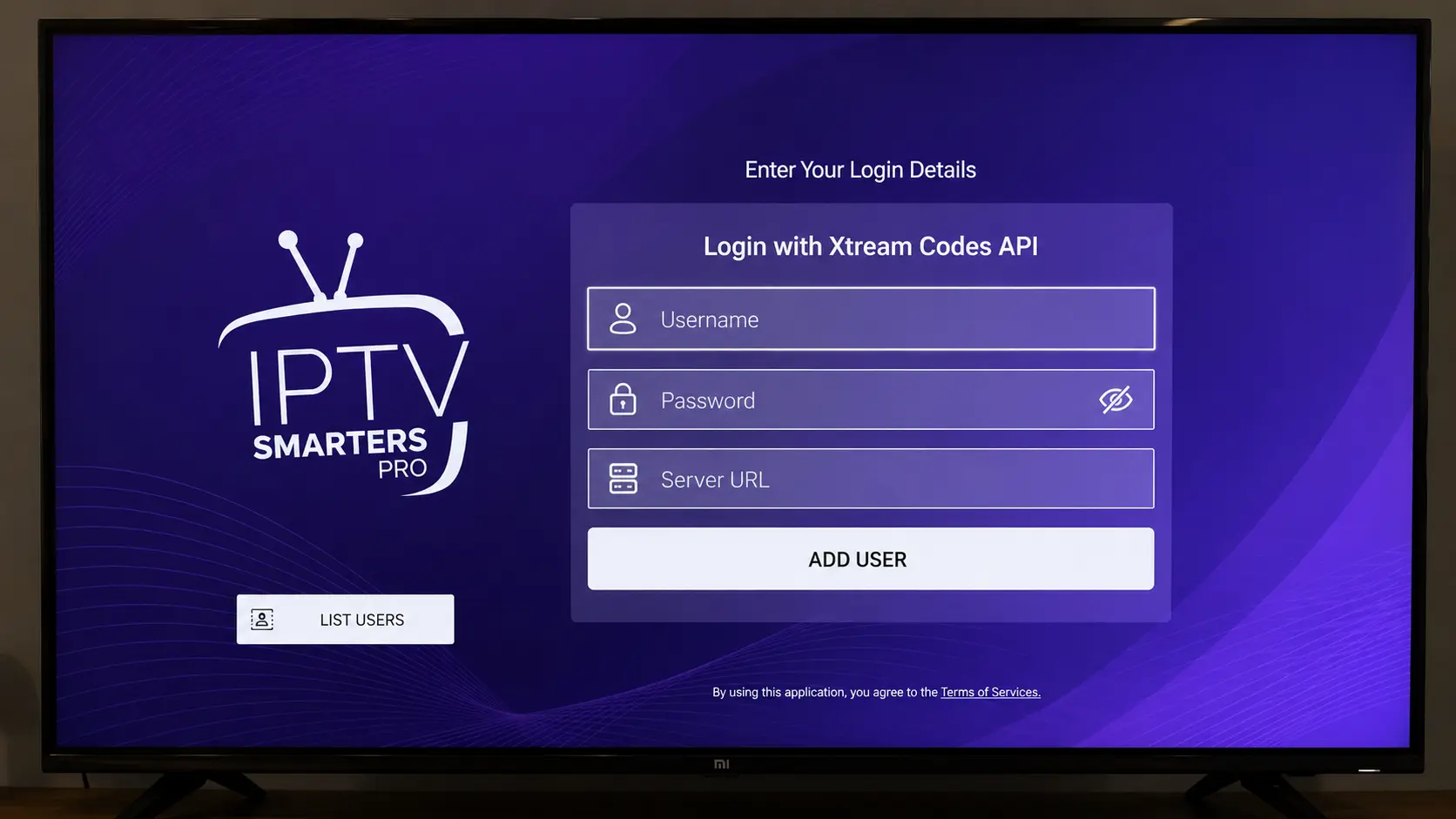
This is where your IPTV Smarters Pro subscription comes in. Open the app and you'll see login options.
Choose "Login with Xtream Codes API"
This is the recommended method — it loads the full channel list and EPG automatically.
Enter your details
Type any name you like, then paste the username, password and server URL we emailed you.
Add & wait for sync
Select Add User. The app downloads your channels, movies and EPG — this can take a minute on first load.
Start watching
Open Live TV, pick a category and enjoy. Browse the full channels list to see what's included.
http:// and the port. Still stuck? Contact our support team and we'll get you sorted fast.📺 Watch the video guide
Prefer to follow along visually? This short walkthrough shows the full IPTV Smarters Pro for Firestick setup from start to finish.
IPTV Smarters Pro Plans & Pricing
One-time payment · instant activation · 7-day money-back guarantee
1 Month
- 65,000+ live channels
- 120,000+ movies & series
- 4K · UHD · FHD · HD
- Anti-Freezing™ tech
- 24/7 support
3 Months
- 65,000+ live channels
- 120,000+ movies & series
- 4K · UHD · FHD · HD
- Anti-Freezing™ tech
- 24/7 support
6 Months
- 65,000+ live channels
- 120,000+ movies & series
- 4K · UHD · FHD · HD
- Anti-Freezing™ tech
- 24/7 support
12 Months
- 65,000+ live channels
- 120,000+ movies & series
- 4K · UHD · FHD · HD
- Anti-Freezing™ tech
- 24/7 support
Prices shown for 1-device plans. Switch the tabs above for 2 & 3-device pricing. See all options on the pricing page.
Best settings & buffering fixes
Once IPTV Smarters Pro for Firestick is running, a few tweaks keep streams smooth and sharp:
Stop buffering
- Use a wired or 5GHz connection — the basic Firestick Wi-Fi can struggle with 4K IPTV.
- Clear the app cache regularly via Settings → Applications → IPTV Smarters Pro.
- Increase the buffer size inside the app's player settings if your connection dips.
- Close background apps — a Firestick has limited RAM, so free it up before streaming.
Improve picture quality
- Pick the built-in or ExoPlayer decoder for the best hardware acceleration.
- Match your TV's resolution in Fire TV → Display for true 4K output.
- Enable the EPG so you get a full TV guide and catch-up options.
Firestick models compared
All Fire TV devices run IPTV Smarters Pro, but higher-end models handle 4K IPTV better:
| Device | Max resolution | Best for |
|---|---|---|
| Fire TV Stick (3rd gen) | 1080p HD | Bedrooms, casual viewing |
| Fire TV Stick 4K | 4K Ultra HD | Most users — great value |
| Fire TV Stick 4K Max | 4K + Wi-Fi 6 | Heavy streamers, fast Wi-Fi |
| Fire TV Cube | 4K + hands-free | Home cinema setups |
For more on the hardware, see the Amazon Fire TV overview on Wikipedia.
✅ Key takeaways
- IPTV Smarters Pro for Firestick installs in ~10 minutes using the Downloader app.
- The app is just a player — you need an active IPTV Smarters Pro subscription to watch.
- Log in using the Xtream Codes API method for the full channel list and EPG.
- A 5GHz or wired connection and a cleared cache fix almost all buffering.
- We email your login instantly after purchase — activation is immediate.
Ready to start streaming?
Set up IPTV Smarters Pro on your Firestick today and unlock 65,000+ channels and 120,000+ movies in stunning 4K. Instant activation, 7-day money-back guarantee.
💬 Get Your Subscription on WhatsAppFrequently asked questions
Is IPTV Smarters Pro free?
The IPTV Smarters Pro player app is free to download. To watch live TV, sports and movies you need an active IPTV subscription that provides your Xtream Codes login — available from our pricing page.
How do I install IPTV Smarters Pro on a Firestick?
Enable "Apps from Unknown Sources" in your Fire TV settings, install the free Downloader app, enter the official IPTV Smarters Pro download URL, install the APK, then log in with your Xtream Codes. The full steps are above.
Why does IPTV Smarters Pro keep buffering on Firestick?
Buffering is almost always a network issue. Use a 5GHz or wired connection, clear the app cache, increase the buffer size in player settings, and close other apps to free up RAM.
Does it work on the Fire TV Stick 4K and Cube?
Yes. IPTV Smarters Pro runs on every Fire TV device, including the Stick 4K, Stick 4K Max and Fire TV Cube — and those models give the best 4K IPTV performance.
How do I get my Xtream Codes login?
Choose a plan on our pricing page or message us on WhatsApp. We email your username, password and server URL instantly after your order.
Can I use one subscription on more than one device?
Our 1-device plans cover a single screen at a time. If you want to stream on multiple devices simultaneously, choose a 2 or 3-device plan using the tabs in the pricing section above.
Is IPTV Smarters Pro available in Australia?
Yes. IPTV Smarters Pro Australia is fully optimised for Australian viewers, with local and international channels, sports and a low-latency server network.